Your documents, policies and stock, finally in one place.
Workspace is one app for the people who keep an organisation running. A document register, a policy register, marketing stock control and a task planner, all in a single file that runs in your browser.
Works in any modern browser. Your data never leaves your device.

Five tools that talk to each other.
Most small teams juggle a spreadsheet for documents, another for policies, a third for printed stock and a to-do app on the side. Workspace puts them together, so a brochure links to its print order, and a policy review becomes a task.
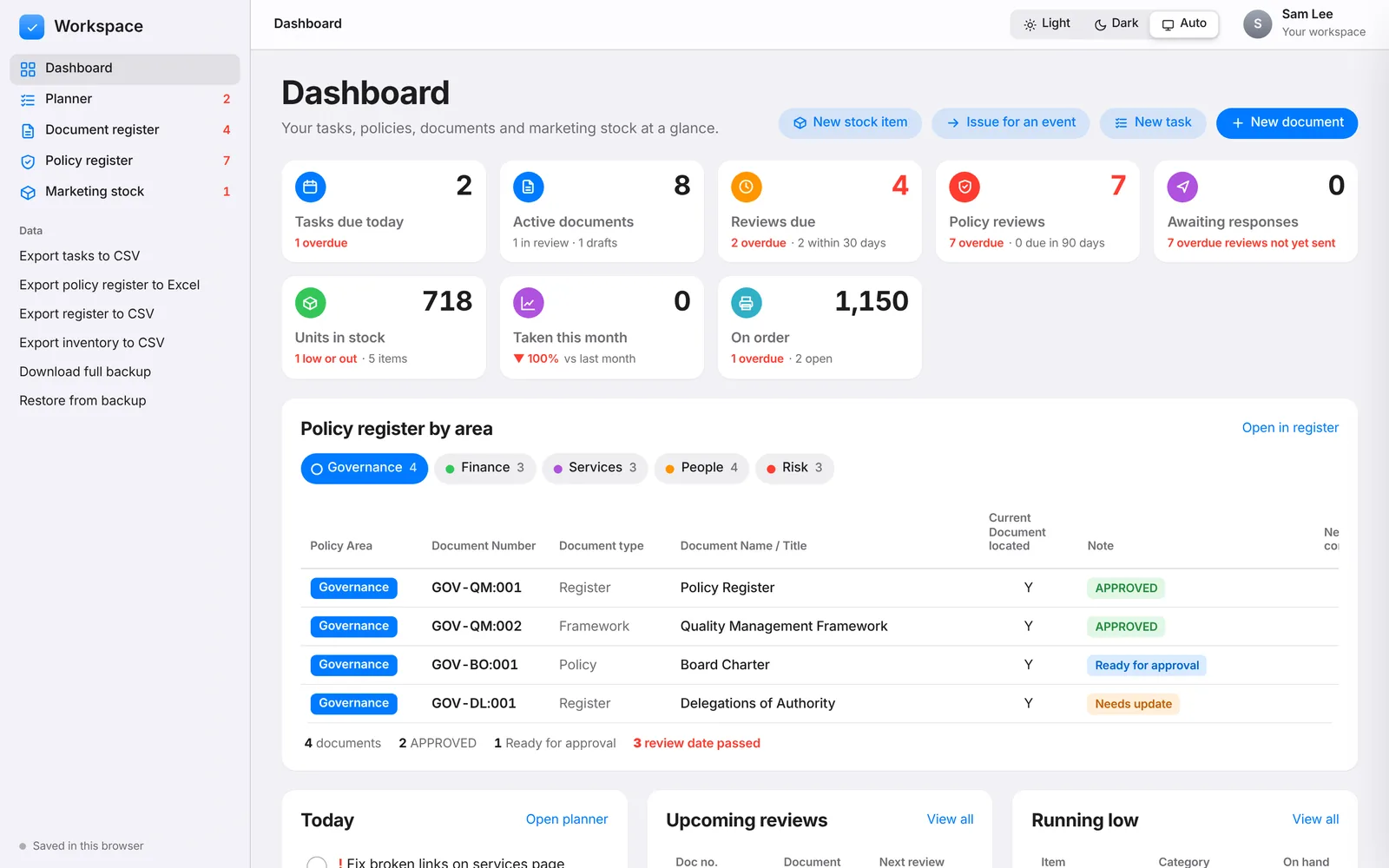
Know what needs you, the moment you open it.
The dashboard pulls the urgent things out of every register: tasks due today, documents and policies past their review date, items running low and print orders that are late.
- Live counts for tasks, reviews, stock on hand and stock on order
- Overdue items flagged in red, with what's coming up next
- Quick actions: new document, new task, issue stock for an event
- Light, dark or automatic appearance
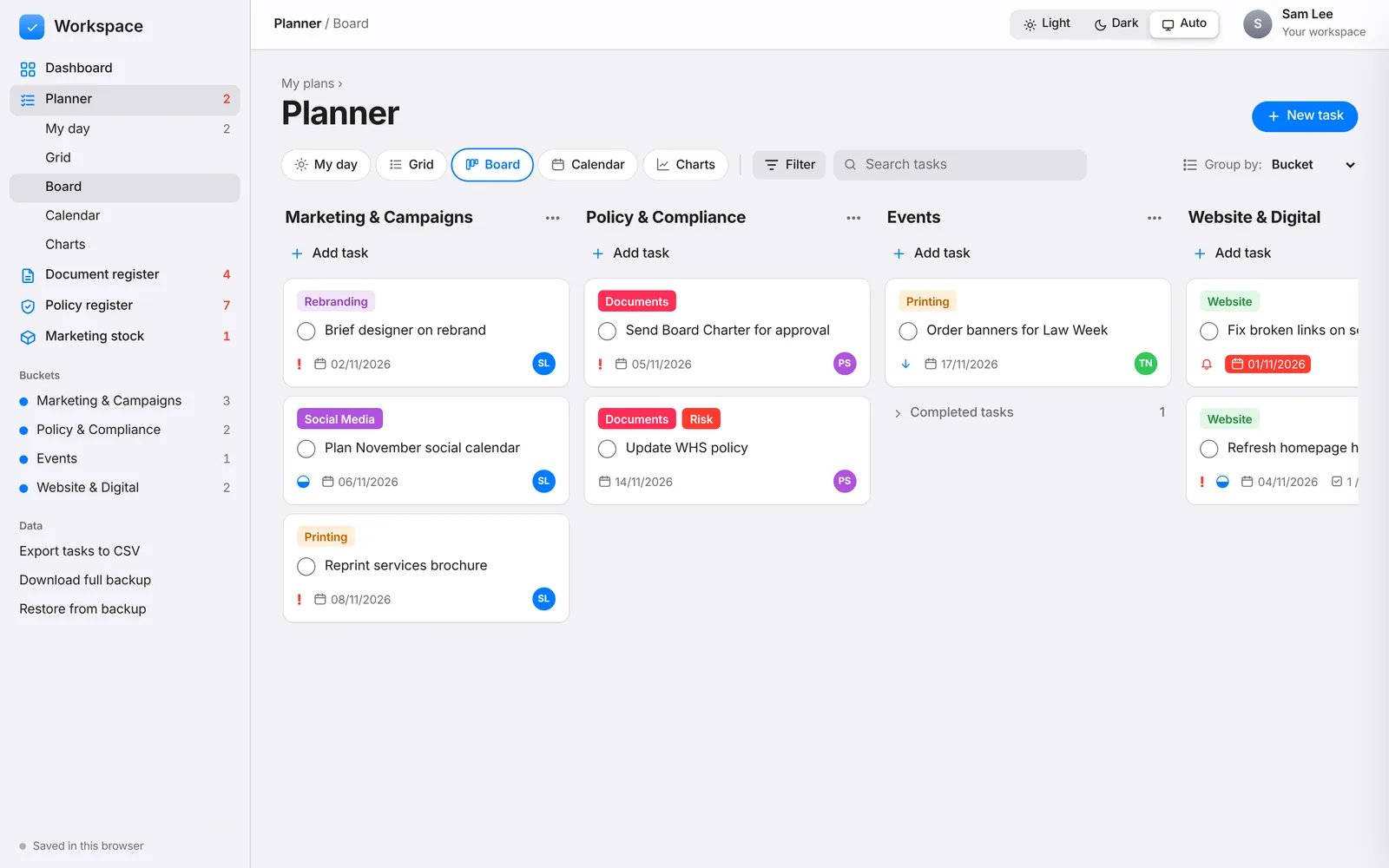
A planner that knows about your documents.
Organise work into buckets, then see it the way that suits the moment. Tasks can link to a document, an event or a policy, and you can track who a draft is with for review or approval.
- My day, grid, board, calendar and charts views
- Group by bucket, progress, priority, due date, label or person
- Subtasks, labels, priorities, comments, links and repeating tasks
- Send for review or approval, with a ready-made email draft
- Drag and drop between columns
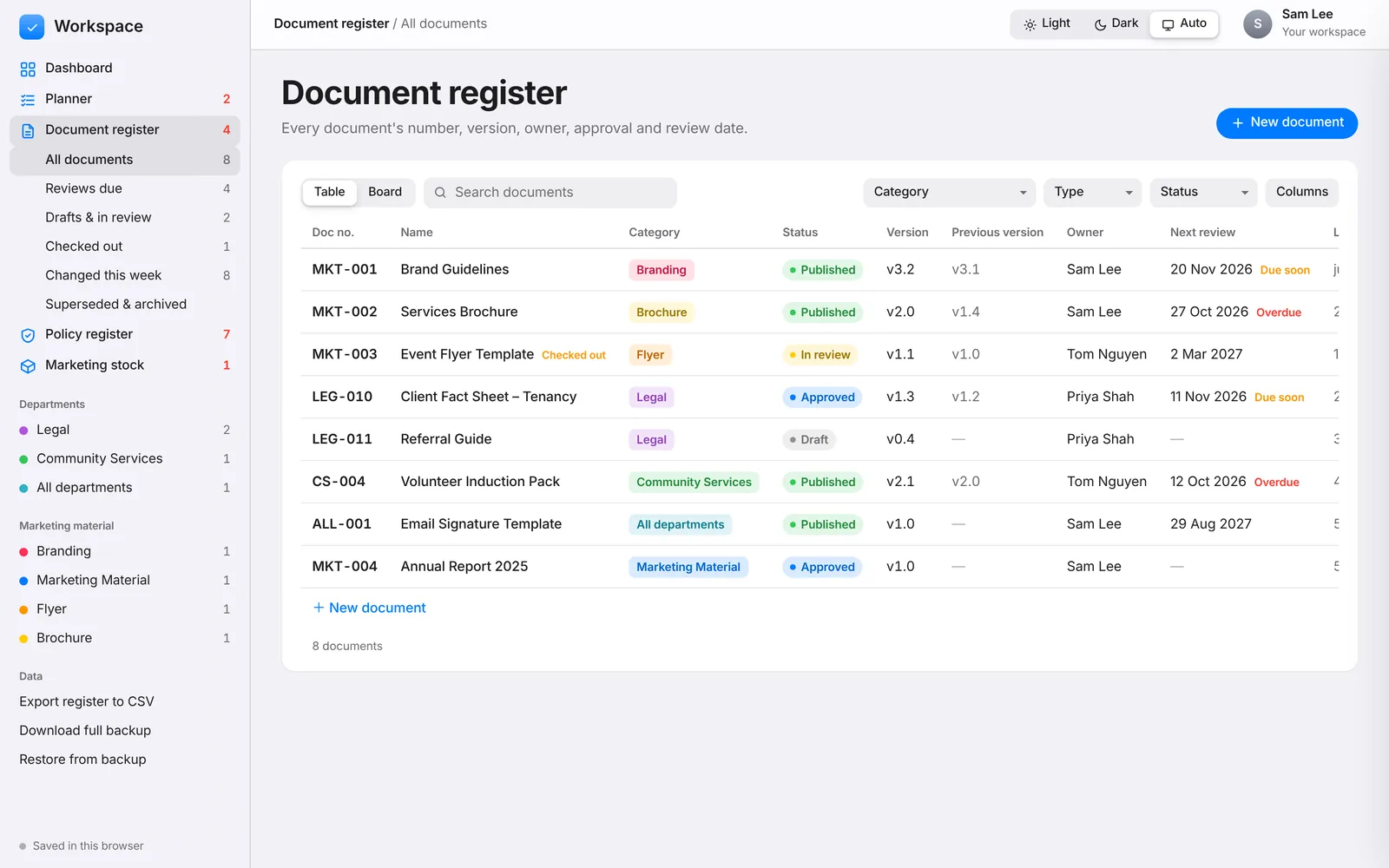
Every controlled document, and which version is current.
Keep one source of truth for your forms, templates, factsheets, guidelines and design files. Workspace records who owns each one, when it changed and when it's next due for review.
- Reference numbers, categories, classification and status
- Major and minor versions, with the previous version kept alongside
- Check out and check in, so two people don't edit at once
- Review cycles that roll the next review date forward
- Full change history, table or board view, CSV and Excel export
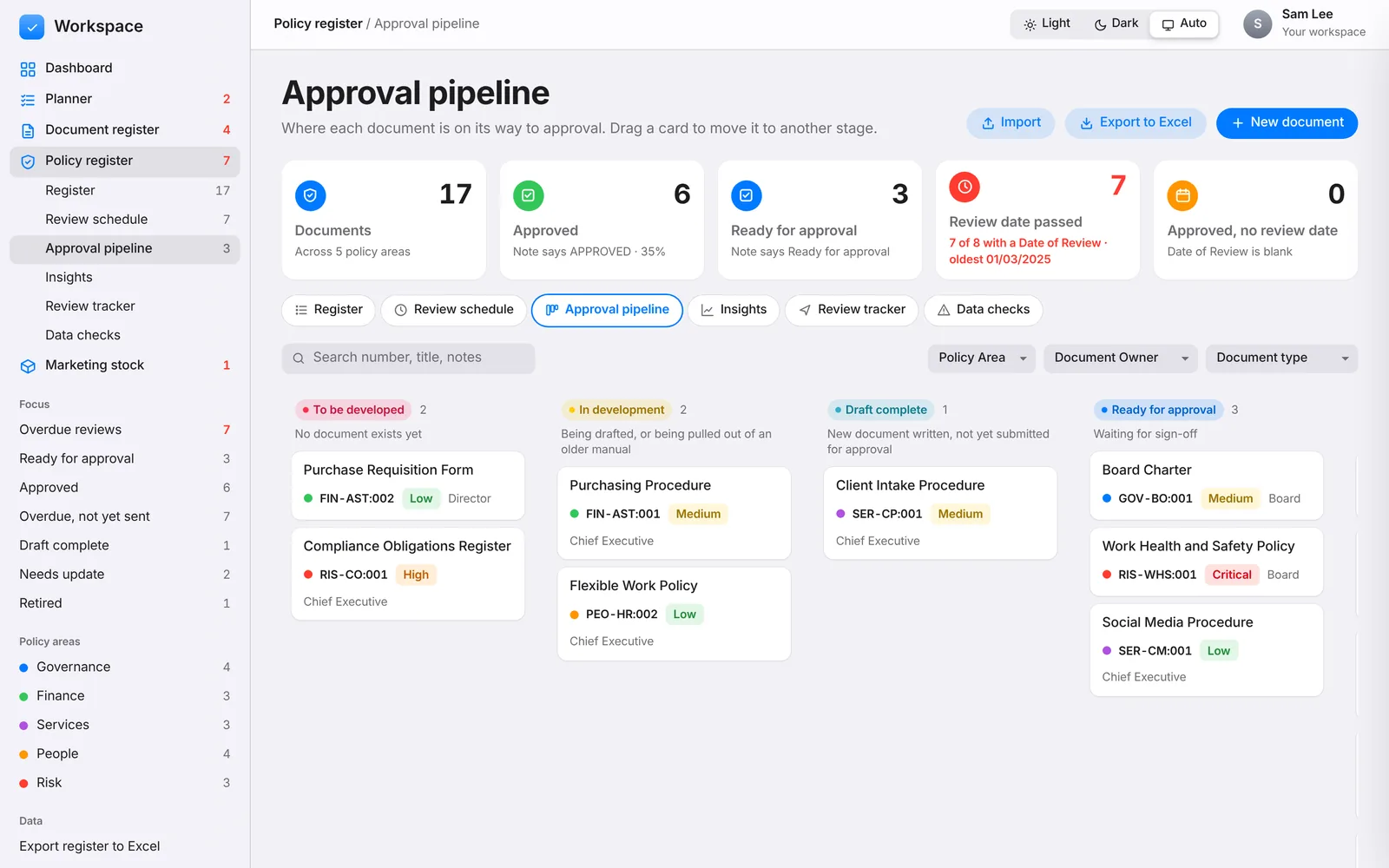
Build out your policy framework, gap by gap.
Map every policy, procedure, form and plan across governance, finance, services, people and risk. Track each one from "to be developed" through to approved, and keep reviews on schedule.
- Eight stages, from to be developed to retired, on a drag-and-drop pipeline
- Risk ratings, approval levels, owners and review cycles by document type
- Review schedule and a tracker for who each document is with
- Insights on how complete the framework is and where the risk sits
- Data checks that spot gaps and inconsistencies
- Import from your existing spreadsheet, export to Excel
Never run out of brochures the week of a big event.
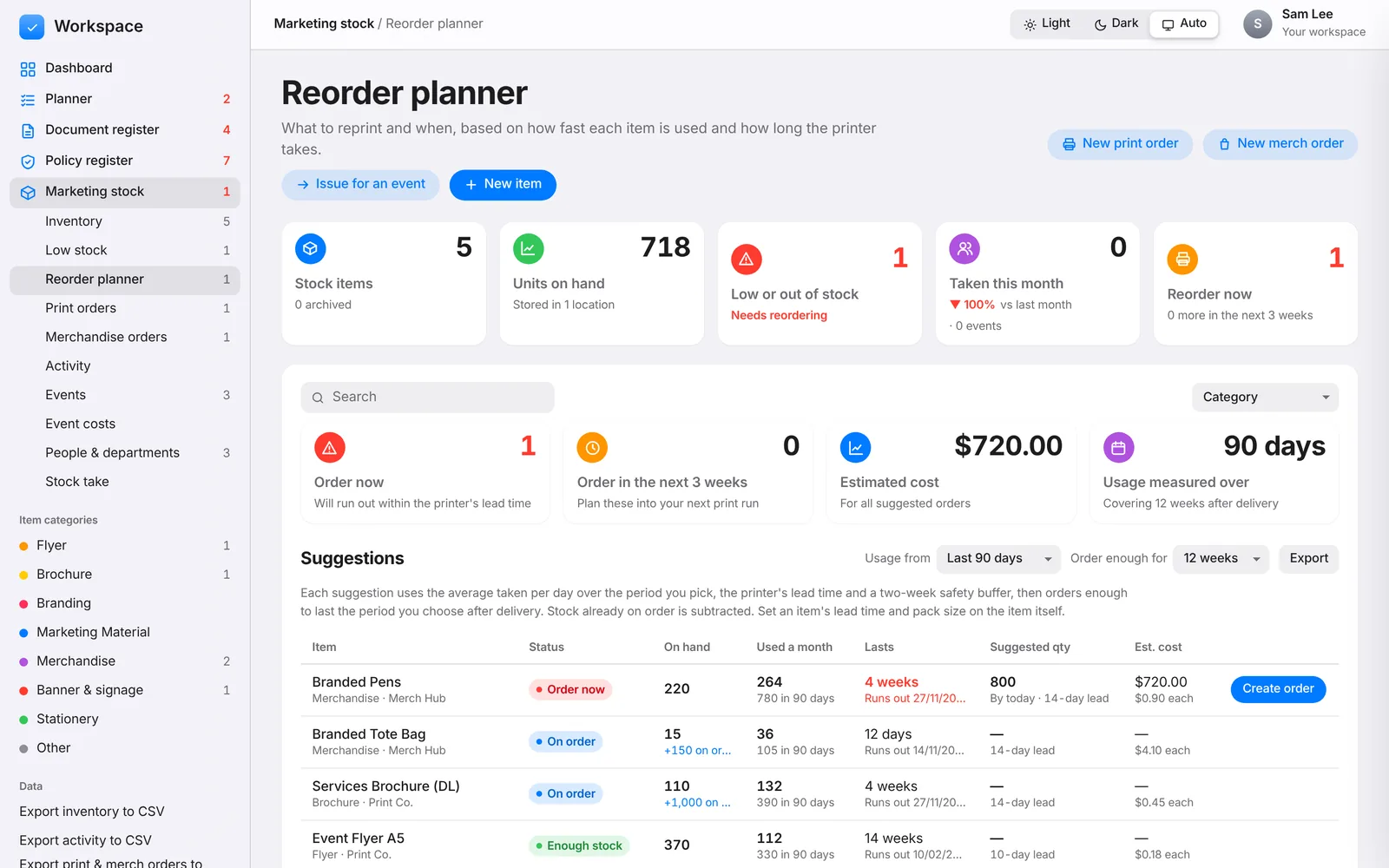
Track printed material and branded merchandise from the printer to the event table. Workspace works out how fast each item is used and tells you when to reprint, allowing for the printer's lead time.
- Inventory with reorder levels, locations, suppliers and unit costs
- Reorder planner with suggested quantities and estimated cost
- Print and merchandise orders, from quote to proof to delivery
- Issue stock to an event, with who collected it and for which team
- Event costs using the landed cost of each order
- Stock takes that record any difference as an adjustment
Private by design. Nothing to install.
Workspace is one HTML file. There's no account, no server and no tracking. Open it and start working.
Your data stays with you
Everything is saved in your browser's local storage on your own device. Nothing is uploaded anywhere.
Backups in one click
Download a full backup as a JSON file and restore it on another computer or browser whenever you need to.
Works with your spreadsheets
Import an existing register from Excel or CSV, and export any register back out for reports or audits.
Works offline
Download the file and open it straight from your computer. Only the Excel import and export need a connection.
Make it yours
Categories, departments and stages live in plain lists at the top of the code. Change them to suit your organisation.
Free forever
Released under the MIT licence. Use it at work, fork it, adapt it and share it.
Get started in a minute.
Open it
Use the hosted version with Open the app, or download the file and double-click it.
Add your first records
Create a document or task, or go to Policy register and load the sample framework to see how it works.
Bring your data in
Import your existing policy spreadsheet, then add stock items and people as you go.
Back it up
Use Download full backup in the sidebar now and then. It's your safety net if you clear your browser.
Download it and start using it today.
One file, about 400 KB. Save it anywhere, double-click to open it in your browser, and you're ready. No install, no account.
Download workspace.html- Works in Chrome, Edge, Safari and Firefox
- Your data is saved in the browser you open it in
- Use Download full backup in the sidebar to keep a copy
Questions
Where is my data stored?
In your browser's local storage, on the device you're using. It isn't sent to any server. That also means each browser keeps its own copy, so use backup and restore to move between computers.
Can my whole team use it together?
Out of the box, Workspace is single-user: each person's browser has its own data. To share a register, one person can keep it and send exported files or backups to others. Real-time sharing would need a small back end, and the storage layer is written so one can be added.
What happens if I clear my browser data?
Your Workspace data is cleared too. Download a full backup regularly so you can restore it.
Does it work on a phone or tablet?
Yes. The layout adapts to smaller screens, and the sidebar folds into a menu.
Can I change the categories, departments and stages?
Yes. They're defined in short lists near the top of the script in app/index.html. Edit them in any text editor and reload.
Is it really free?
Yes. Workspace is open source under the MIT licence. You can host your own copy for free on GitHub Pages, Netlify or any static host.
Give your registers a proper home.
Free, private and ready when you are.